In this article
Fynex publishes this list and is one of the options on it.
Quick answer: The best CIS software depends on your ledger and your volume. Xero suits contractors already on Xero, with CIS returns as a £5 add-on. Fynex suits contractors paying many subcontractors: it deducts CIS on each payment, pays the net and files the return. QuickBooks and Sage include CIS. Eque2 and Staffology add construction or payroll depth.
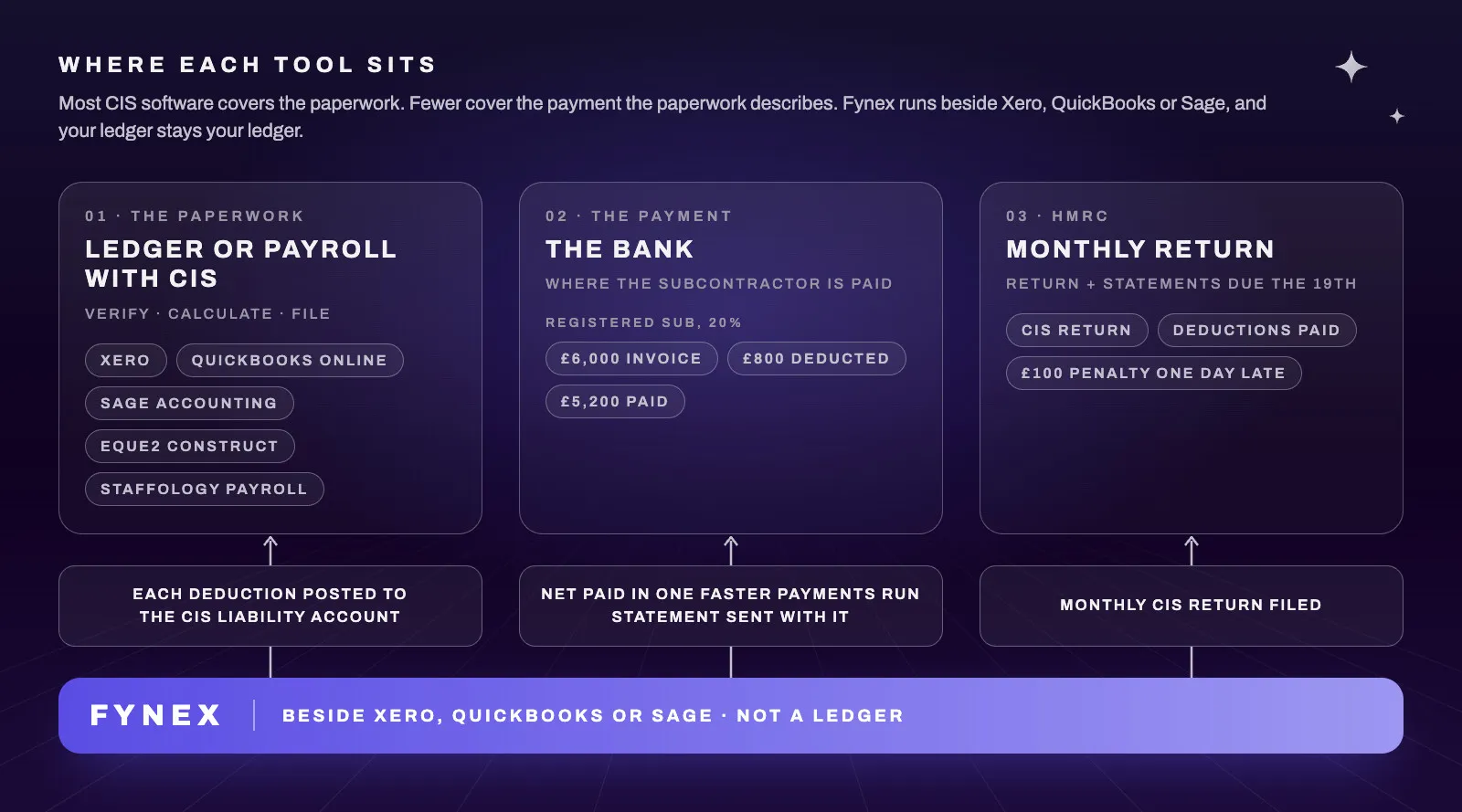
The Construction Industry Scheme asks a contractor to do five things every month: verify new subcontractors, deduct at the right rate, pay HMRC, file the monthly return and give each sub a payment and deduction statement. Most CIS software covers the paperwork. Fewer cover the payment that the paperwork describes. Prices below are copied from each vendor’s own pages on 13 October 2026, with links at the end.
How CIS works, in one worked example
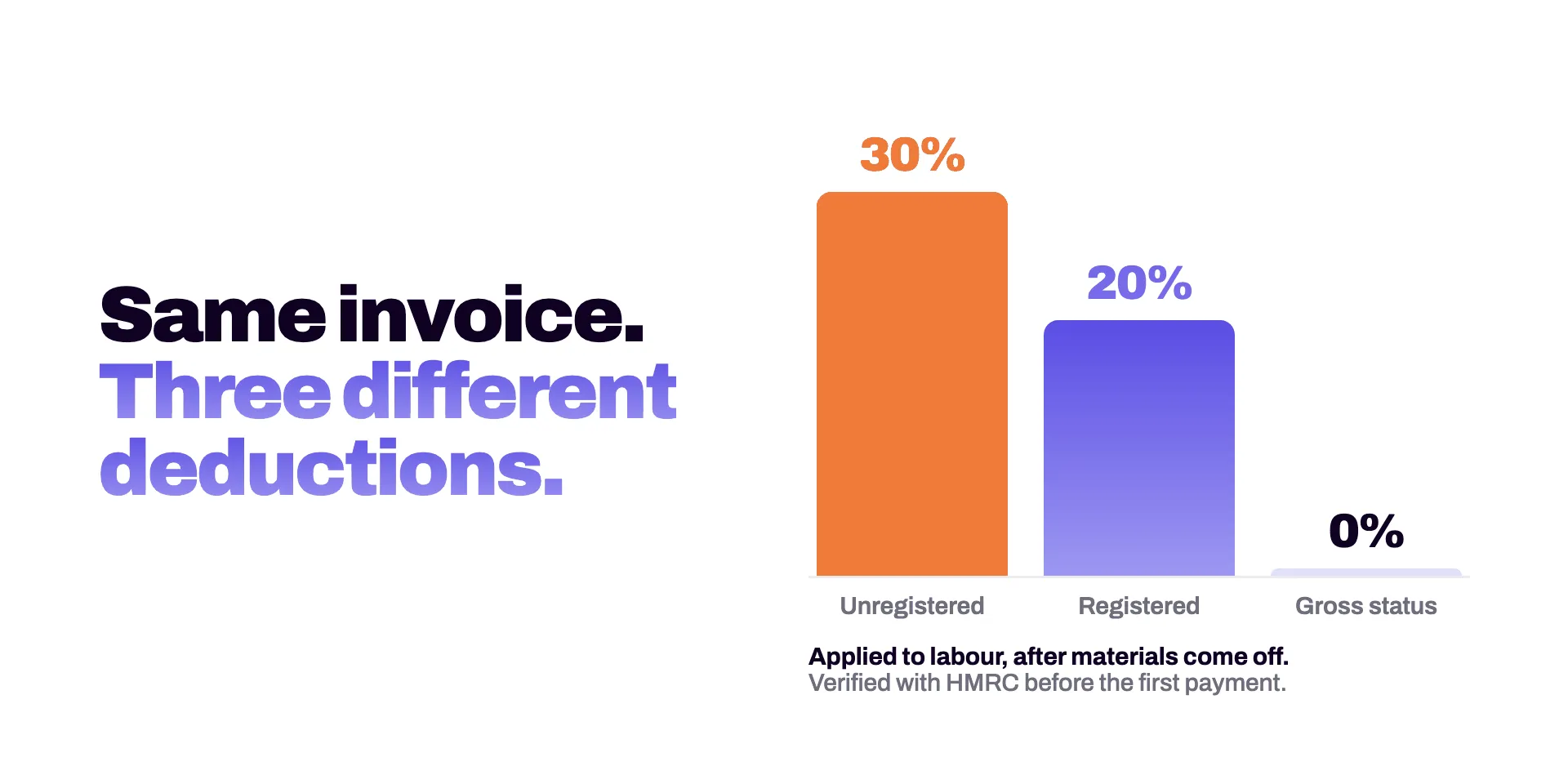
A subcontractor invoices £6,000 for a job: £4,000 of labour and £2,000 of materials they bought. HMRC’s rules take the materials off before the rate applies, along with VAT, plant hire and similar costs.
| Registered sub (20%) | Unregistered sub (30%) | Gross payment status (0%) | |
|---|---|---|---|
| Invoice, excluding VAT | £6,000 | £6,000 | £6,000 |
| Materials taken off | £2,000 | £2,000 | £2,000 |
| Labour the rate applies to | £4,000 | £4,000 | £4,000 |
| CIS deduction paid to HMRC | £800 | £1,200 | £0 |
| Paid to the subcontractor | £5,200 | £4,800 | £6,000 |

Data behind the chart
| Subcontractor status | Paid to the subcontractor | CIS deduction paid to HMRC |
|---|---|---|
| Registered (20%) | £5,200 | £800 |
| Unregistered (30%) | £4,800 | £1,200 |
| Gross payment status (0%) | £6,000 | £0 |
The deduction is an advance payment towards the subcontractor’s tax and National Insurance. It appears on the monthly return and on the statement the sub receives. VAT on most building work between VAT-registered businesses is handled separately under the domestic reverse charge.
How we compared them
Six questions decide whether CIS software fits. Check every option against them.
- Verification. Can it verify a subcontractor with HMRC and store the result and the rate? HMRC requires commercial software once you verify more than 50 subcontractors.
- Deduction on the right base. Does it apply the rate to labour only, with materials, VAT and plant hire taken off line by line?
- The monthly return. Does it file the return to HMRC, including nil returns, and the declaration that the subs listed are not employees?
- Statements. Does it create and send payment and deduction statements, or only create them?
- The payment. Does the deduction it calculates match the money that actually left the bank, or is the payment made somewhere else?
- The ledger. Does the deduction post to a CIS liability account in Xero, QuickBooks or Sage, so the HMRC payment reconciles?
CIS software compared
| Tool | What it is | Best for | Verification | Monthly return | Statements | Pays the sub | Published price |
|---|---|---|---|---|---|---|---|
| Xero | Accounting software with CIS | Contractors already on Xero | Yes, from the contact record | Yes, with the CIS add-on | Yes | No | Ignite £18, Grow £39, Comprehensive £55, Ultimate £70 per month (list); CIS returns add-on £5/month |
| Fynex | Payment and CIS layer beside Xero, QuickBooks or Sage; not a ledger | Contractors paying many subs every month | Holds each sub’s UTR, verification result and rate | Yes | Yes, issued with the payment | Yes, one Faster Payments run | Public: payouts 0.5% each; full schedule at pricing |
| QuickBooks Online | Accounting software with CIS | Contractors already on QuickBooks | Yes, from the supplier record | Yes, submitted to HMRC | Yes, sent from the filed return | No | Every UK plan lists “Calculate and submit CIS”; prices load live on its pricing page |
| Sage Accounting | Accounting software with CIS | Contractors already on Sage | Documented for Sage 50’s CIS module | Yes | Created with the return; not emailed automatically | No | On Sage’s pricing page; check CIS is on your plan |
| Eque2 Construct | Construction add-on for Sage or Xero | Contractors who also need valuations, applications and retentions | Through the ledger | Through the ledger | Through the ledger | No | Pricing on request |
| Staffology Payroll | Payroll software (IRIS) with CIS | Firms running employee payroll and CIS together | Yes, sent to HMRC, in batches | Yes | Linked from its CIS section | No | Pricing on request |
The options, one by one
1. Xero
Xero’s UK pricing page lists “Automate subcontractor CIS calculations and reports” on all four plans, and contractor CIS return submission as an add-on at £5 a month. Xero describes verifying subcontractors from the contact record and filing the monthly return directly to HMRC.
Best for: contractors already keeping their books in Xero. Watch: Xero calculates and files, but the payment to the sub is made from your bank, so the figure on the return and the amount paid can drift. More on the ledger in reconciling payments to Xero.
2. Fynex
Fynex runs CIS as part of the payment, not after it. Each subcontractor carries a UTR, a verification result and a rate. Fynex applies the rate to the labour on each invoice, with materials, VAT and plant hire taken off line by line, and pays the net by Faster Payments in one approved run. The payment and deduction statement goes to the sub with the payment. Fynex files the monthly CIS return and posts each deduction to the CIS liability account in Xero, QuickBooks or Sage, so the books, the bank and HMRC agree. Your ledger stays your ledger.
Best for: main contractors and specialist contractors paying many subcontractors and suppliers every month. The payment side is covered in the subcontractor payouts guide and on Fynex for construction.
3. QuickBooks Online
Every UK QuickBooks plan lists “Calculate and submit CIS”. Subcontractors are set up as suppliers with their UTR and verification number. After filing a return you send statements straight from it, up to 50 subcontractors per page.
Best for: contractors already on QuickBooks. Watch: QuickBooks notes that HMRC’s portal can take up to 72 hours to show a return filed through it, and a return filed on HMRC’s portal does not update QuickBooks.
4. Sage Accounting
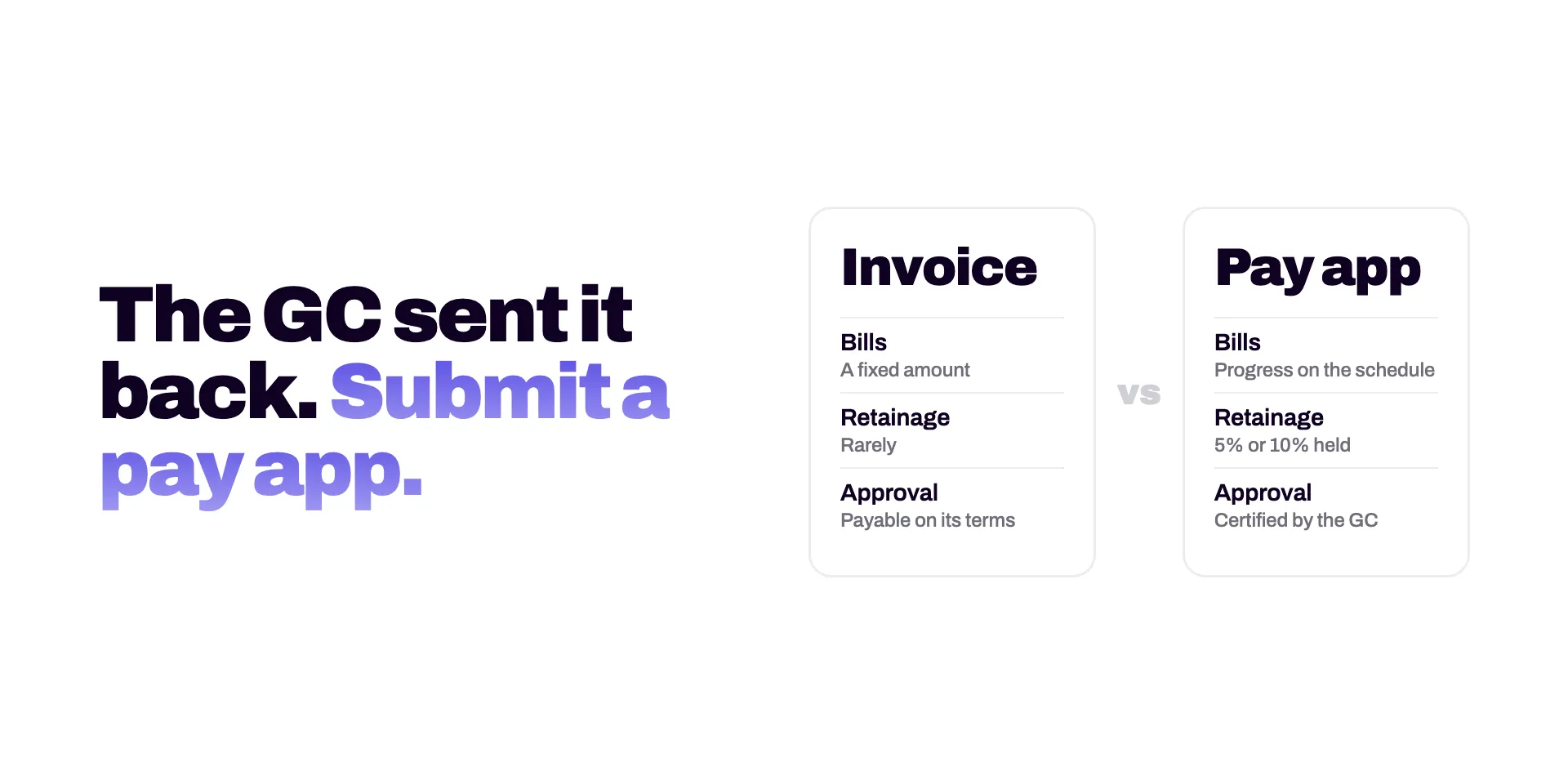
Sage Accounting creates payment and deduction statements with the monthly return, as one PDF per subcontractor. Sage notes that it does not email them for you. Its help also says to submit through Sage only if every CIS transaction was entered through its CIS feature.
Best for: contractors already on Sage. Watch: that last rule is the double-system trap. If some payments are made elsewhere, the return has to be combined by hand. Sage-specific payables are covered in AP automation for Sage.
5. Eque2 Construct
Eque2 is an independent vendor. Its Construct product adds “CIS, retentions and applications and valuations to Sage or Xero” without replacing the finance system.
Best for: contractors who need valuations, applications for payment and retentions as well as CIS. Watch: pricing is on request, and Eque2 does not process payments.
6. Staffology Payroll
Staffology, from IRIS, is payroll software with CIS. Its help describes sending verification requests to HMRC, in batches, and updating the subcontractor record with the result and the rate automatically.
Best for: firms that run employee payroll and CIS subcontractors together. Watch: it is payroll first, so the subcontractor payment and the ledger entry happen elsewhere.
When Fynex is the wrong choice
Fynex is the wrong choice for a sole-trader subcontractor who only suffers deductions. You need CIS suffered tracking in your accounting software, not a payment run. It is also more than you need if you pay two or three subcontractors a month and your ledger’s CIS feature works: Xero’s add-on or QuickBooks will do. And Fynex pays UK payees by Faster Payments and US payees by ACH only, so a subcontractor paid abroad needs another route.
Where CIS usually breaks
The rules are clear. The breaks come from doing the same job in two places:
- The deduction is calculated in one system and paid from another. The return says £800 was deducted; the bank shows a transfer typed by hand.
- Materials are not split out. A sub’s invoice shows one total, so the rate is applied to materials too.
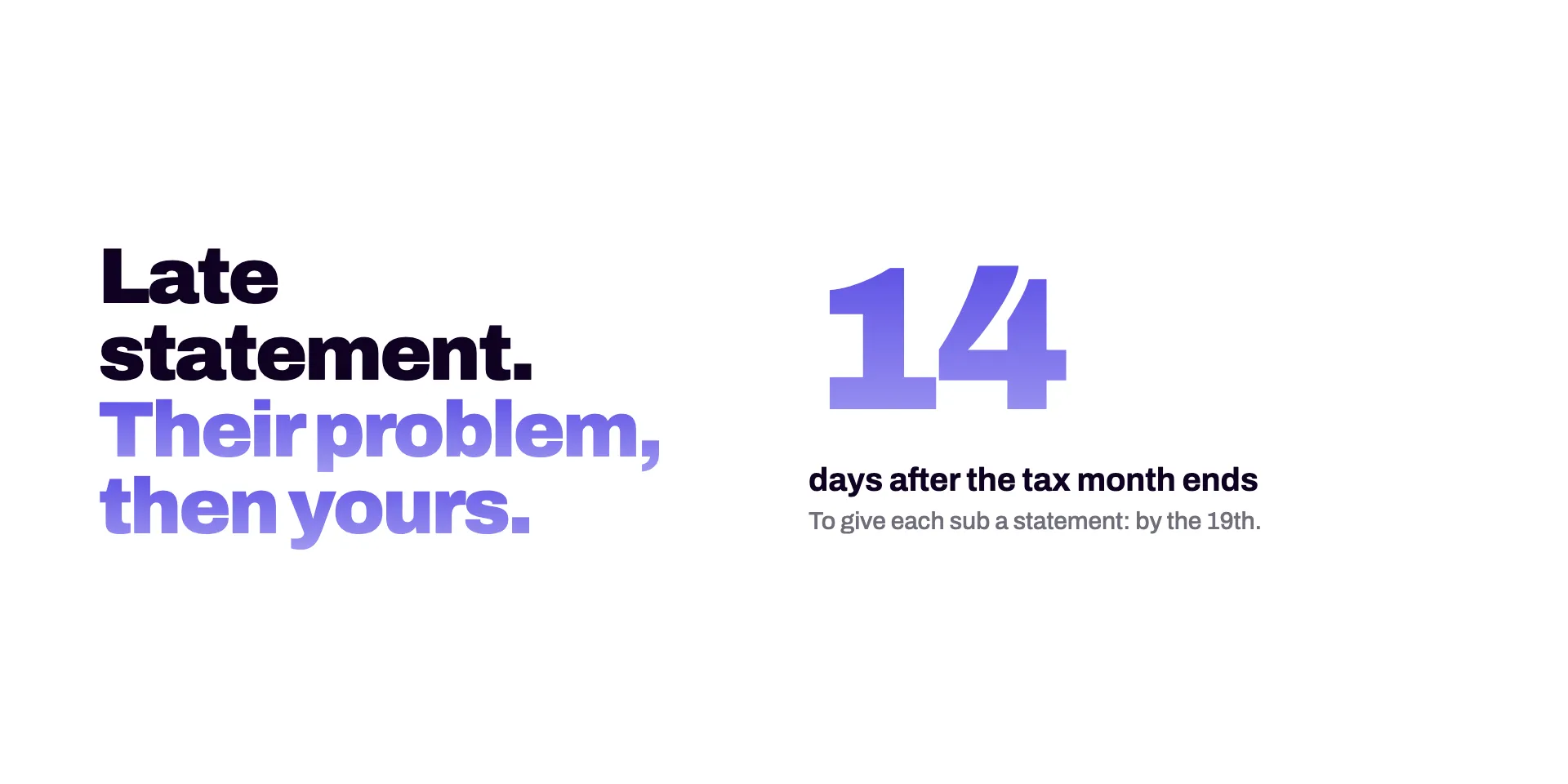
- Statements go out late. They are due within 14 days of the end of the tax month, the same 19th as the return.
- A return is filed twice, or not at all, because two tools could each file it.
HMRC’s penalty for a late return starts at £100 one day late and rises at two, six and twelve months. File from one place, and make that place the one that also paid. For the rails themselves, see Faster Payments vs Bacs vs CHAPS, and for the ledger choice, Sage vs QuickBooks for UK businesses.
Sources
HMRC guidance and vendor pages, fetched 13 October 2026. Prices are as printed and may change.
- HMRC, what you must do as a CIS contractor: verify subcontractors, make deductions and pay subcontractors, file your monthly returns
- Xero UK pricing: xero.com/uk/pricing-plans
- QuickBooks UK pricing and CIS filing help: quickbooks.intuit.com/uk/pricing, filing CIS in QuickBooks Online
- Sage Accounting CIS statements help: gb-kb.sage.com
- Eque2: eque2.com
- Staffology CIS verification help: help.staffology.co.uk
Related: Faster Payments, defined · Remittance advice · Pay subcontractors and suppliers in one run · Payouts