In this article
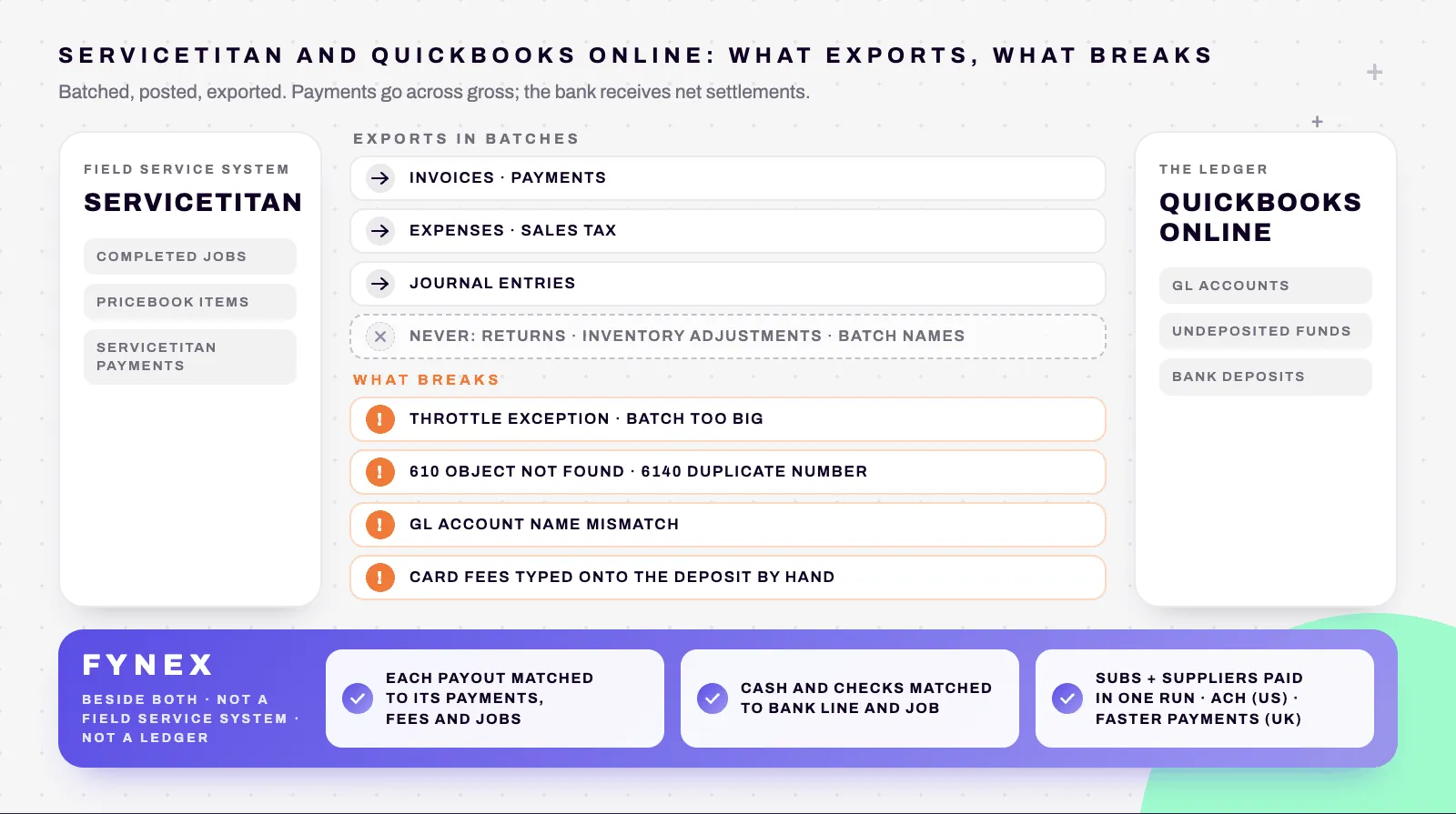
Quick answer: ServiceTitan syncs to QuickBooks Online through a cloud API and to QuickBooks Desktop through the Web Connector. You batch, post and export invoices and payments; Online also takes expenses, sales tax and journal entries. Returns, inventory adjustments and batch names do not reach Online. Deposit fees and subcontractor payments stay outside the sync, where Fynex sits.
Every fact about ServiceTitan below comes from its own help centre and website, fetched 2026-10-13. ServiceTitan marks some help pages as due for review, so check the current version in your account.
What the integration does
ServiceTitan pushes finished work to QuickBooks in batches you control. Nothing leaves until someone in the office posts and exports it.
- What syncs to Online: invoices, payments, expenses and sales tax. Journal entries can be exported too. ServiceTitan’s marketing page describes the Online sync as near-real time.
- How it moves: under Accounting, you create a batch, add transactions, post the batch, then export it. Only invoices on completed jobs appear for batching.
- Who can turn it on: ServiceTitan says Online is available to all customers and enabled by your Customer Success Manager.
- Other ledgers: ServiceTitan also lists Sage Intacct, Viewpoint Vista and Spectrum, NetSuite, Foundation, Xero, Acumatica and others, with CSV and journal entries for the rest.
Online vs Desktop
The two integrations do not work the same way, and ServiceTitan says so. The differences that matter most:
| QuickBooks Online | QuickBooks Desktop | |
|---|---|---|
| Connection | Cloud API, works from a Mac | Web Connector on a Windows machine |
| Purchase orders | Export as a single item | Do not export |
| Customer export IDs | Not supported; tell duplicates apart by name | Exported with an ID suffix |
| Classes on purchase orders | Not tied to business unit | Follow the business unit |
| Journal entry export | Available | Not available |
| RightWorks integration | Not needed | Used with the Web Connector |
If you are moving from Desktop to Online, ServiceTitan says payments must be applied to their invoices by hand after the move. Background: QuickBooks Desktop is going away.
What breaks
Most failed exports trace to four errors in ServiceTitan’s own guide.
- Throttle exception. The batch is too big for QuickBooks Online’s API. ServiceTitan suggests batches of three or four invoices.
- Object not found (610). An invoice was exported, then deleted in QuickBooks. Its payment now points at nothing, and has to be bypassed and entered by hand.
- Duplicate document number (6140). The invoice number already exists in QuickBooks, often from a manual entry or older software.
- GL account mismatch. The account on the pricebook item does not exist in QuickBooks under the same name. Sub-accounts need the colon format.
And three things that never export to Online at all: return transactions, inventory adjustments and batch names. A partially exported batch should be unposted, reposted and re-exported; an exported batch cannot be reversed.
Deposits and fees
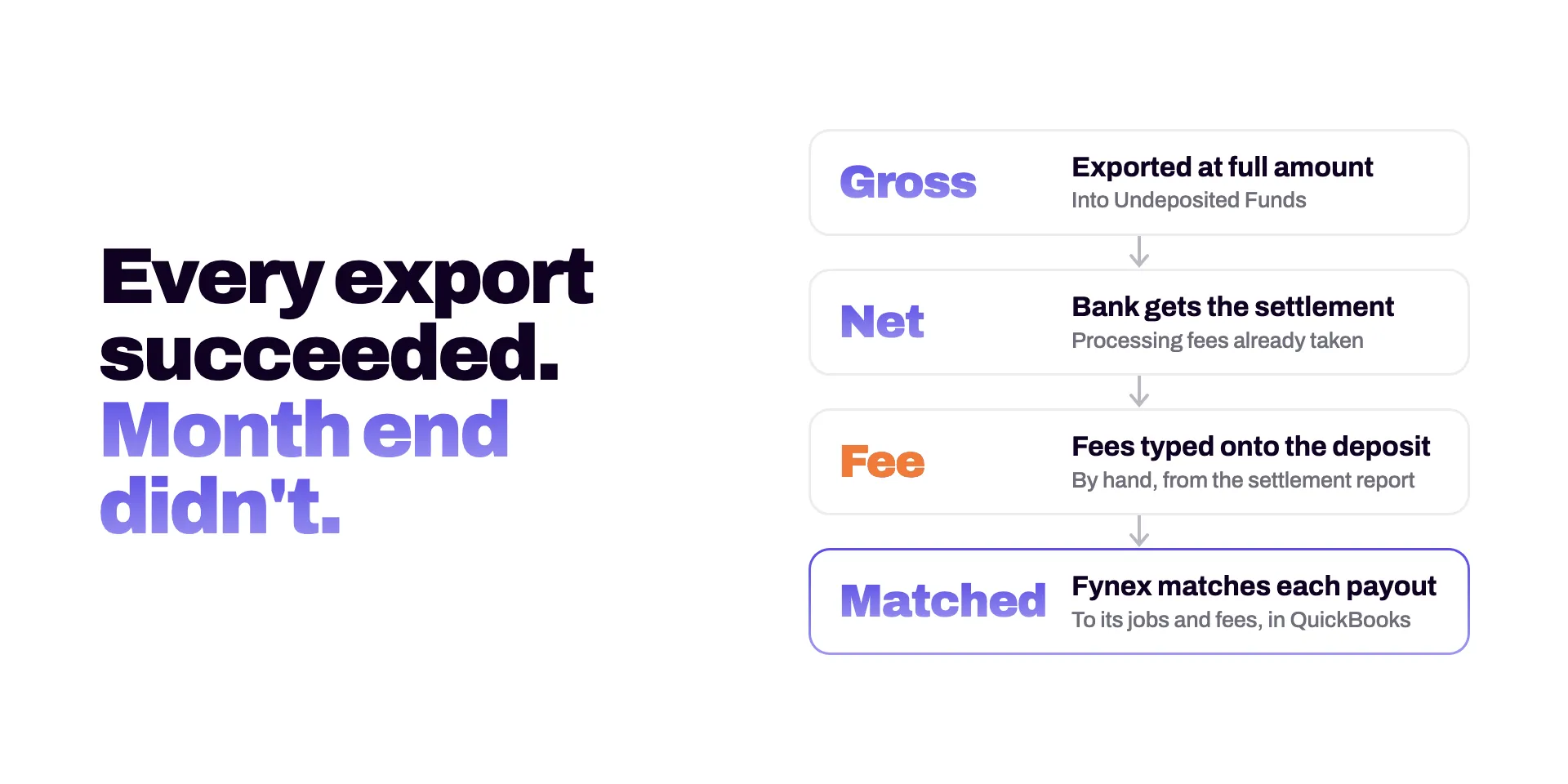
This is where month end goes wrong, even when every export succeeds. Payments go to QuickBooks as gross amounts; the bank receives net settlements.
- Exported payments debit Undeposited Funds and credit receivables by default, until a deposit moves them to the bank.
- With ServiceTitan Payments, autobatched deposits match the bank settlement, but processing fees are added to the deposit by hand from the settlement report.
- Fees cannot be added to a deposit in a closed accounting period.
- Cash and checks still need their own deposits.
More on the mechanics: undeposited funds in QuickBooks.
How to set it up
- Choose Online or Desktop first. It changes how purchase orders, customers and classes come across.
- Ask your Customer Success Manager to enable it. You need admin rights in ServiceTitan and in QuickBooks.
- Build the GL accounts in QuickBooks before mapping. Names must match exactly.
- Map every pricebook item to a GL account. Unmapped items cause pending export errors.
- Set up classes and sales tax. Tax zones map to QuickBooks tax rates.
- Export small batches daily, and review the pending export report before month end.
- Reconcile one week end to end: invoices, payments, deposits with fees, bank lines.
Where Fynex sits
Fynex runs beside ServiceTitan and QuickBooks; it is not a field service system and not a ledger. It takes the jobs the sync leaves to the office: matching net deposits and paying people out.
| Job | ServiceTitan + QuickBooks sync | Fynex beside it | Manual workaround |
|---|---|---|---|
| Invoices and payments to QuickBooks | Batched, posted, exported | Reads them from QuickBooks Online | Re-keyed |
| Card deposits with fees | Fee typed onto the deposit from the settlement report | Each payout matched to its payments, fees and jobs, posted as a journal entry | Settlement report and a calculator |
| Cash and checks | Separate deposits | Matched to the bank line and job | Deposit slips |
| Pay subcontractors and suppliers | Outside the sync | One run, ACH (US) or Faster Payments (UK), each payment matched to its job | Bank portal, one at a time |
| Margin per job | Reports in ServiceTitan | Current margin per job from matched money in and out | Month-end export |
Fynex connects to QuickBooks Online through Intuit’s OAuth and posts to Xero and Sage as well. Customer funds are held by Fondy Ltd (FCA FRN 900705).
When Fynex is the wrong choice: if your exports run clean, ServiceTitan Payments’ autobatched deposits already match the bank with fees, and you pay no subcontractors, the sync is enough. Fynex earns its place where the office still matches deposits by hand or pays subs through a bank portal.
Sources
All fetched 2026-10-13.
- ServiceTitan, QuickBooks Online home: https://help.servicetitan.com/residential-s-r/docs/quickbooks-online-home
- ServiceTitan, QuickBooks Desktop vs Online: https://help.servicetitan.com/residential-s-r/docs/using-quickbooks-desktop-vs-quickbooks-online
- ServiceTitan, batch, post and export: https://help.servicetitan.com/residential-s-r/docs/batch-post-and-export-transactions
- ServiceTitan, deposit funds into QuickBooks: https://help.servicetitan.com/residential-s-r/docs/deposit-funds-into-your-quickbooks-bank-accounts
- ServiceTitan, autobatching fees: https://help.servicetitan.com/docs/manage-adyen-autobatching-fees
- ServiceTitan, common QuickBooks Online errors: https://help.servicetitan.com/how-to/common-qbo-errors
- ServiceTitan accounting integrations: https://servicetitan.com/features/accounting/integrations
- ServiceTitan pricing: https://www.servicetitan.com/pricing
Related: Best field service software that works with QuickBooks · ServiceTitan vs Jobber · Pay subcontractors in one run · Payment reconciliation · Fynex for home services